 damian_site
It’s been almost a year since I started working with Claude Code. Since then, I’ve been drastically reducing the time I spend outside of the terminal. A couple of weeks ago, I realized that I’m only using VSCode to read and edit files, and I thought “Why am I doing that? This doesn’t make sense. It’s not efficient. I should move completely to the place where I’m already spending 90% of my time.”
This post explains the start of my journey to become a terminal resident.
First of all, I must say I’ve always been used to working in the terminal since my time at uni. I always use CLIs when they are available, for instance, to work with git or docker or things like that. But for files it’s different, I started using nano and emacs at uni, but then quickly moved to Sublime Text first, and then VSCode. I’ve been using VSCode for years now, and it’s good so far.
But now, with Claude Code and the other coding agents, things have changed. I’m in my terminal all the time, and it’s kind of annoying to constantly switch between the terminal and the 20 VSCode windows I have open. I don’t want to do that anymore. I want to have everything in one place, and I just want to learn a single set of keybindings and shortcuts to split my window, open new panes, copy and paste, etc. And that place is the terminal.
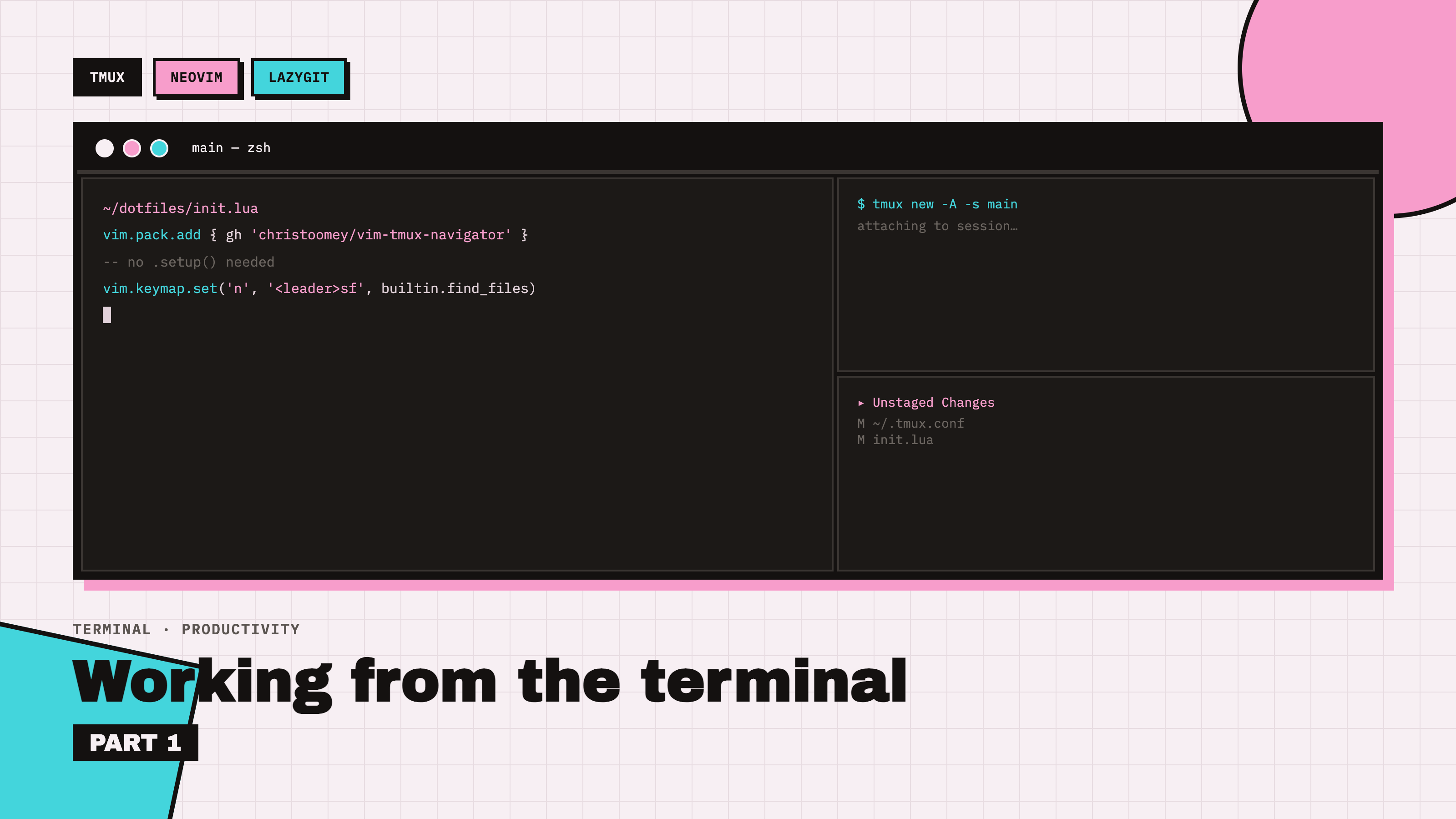
Therefore, after making that decision, I started searching for the tools I needed to work from the terminal in the most efficient way for me. I ended up with this setup:
- tmux: the session/window/pane manager. This is what lets me split the terminal into panes, keep multiple projects running in separate sessions, and detach/reattach without losing anything.
- neovim: my editor. I’m using a personal fork of kickstart.nvim, which turned out to have a couple of surprises I’ll get into below.
- lazygit: a terminal UI for git, which I open as a floating popup right inside tmux.
At first glance, this seemed like a pretty simple foundation to start, later we will see “simple” is not the word XD.
Installing everything
Nothing fancy here, both tmux and lazygit are one-liners with Homebrew:
brew install tmux
brew install lazygit
Neovim I already had, since I’d been running my kickstart fork for a while. If you’re starting from scratch, brew install neovim will get you the stable release, which works fine too.
Setting up tmux
I remapped the prefix from Ctrl+b to Ctrl+a (easier to reach), set up sane pane splits, and enabled mouse support. Here’s the config I ended up with, ~/.tmux.conf:
# Remap prefix to Ctrl-a (easier to reach than Ctrl-b)
set -g prefix C-a
unbind C-b
bind C-a send-prefix

# Split panes with | and -, opening in the current pane's directory
bind | split-window -h -c "#{pane_current_path}"
bind - split-window -v -c "#{pane_current_path}"

# Remove default split bindings so | and - are the only ones
unbind '"'
unbind %

# Reduce escape delay — fixes laggy <Esc> in Neovim
set -sg escape-time 0

# Enable mouse support (click to select pane, drag to resize, scroll)
set -g mouse on

# Start window/pane numbering at 1 instead of 0
set -g base-index 1
setw -g pane-base-index 1

# Seamless navigation between tmux panes and Neovim splits
is_vim="ps -o state= -o comm= -t '#{pane_tty}' | grep -iqE '^[^TXZ ]+ +(\S+\/)?g?(view|n?vim?x?)(diff)?$'"
bind -n C-h if-shell "$is_vim" 'send-keys C-h' 'select-pane -L'
bind -n C-j if-shell "$is_vim" 'send-keys C-j' 'select-pane -D'
bind -n C-k if-shell "$is_vim" 'send-keys C-k' 'select-pane -U'
bind -n C-l if-shell "$is_vim" 'send-keys C-l' 'select-pane -R'

# lazygit as a floating popup, scoped to the triggering pane's directory
bind g display-popup -d "#{pane_current_path}" -w 90% -h 90% -E "lazygit"

# Copy mouse-drag selections straight to the macOS clipboard
bind -T copy-mode MouseDragEnd1Pane send-keys -X copy-pipe-and-cancel "pbcopy"
To load it:
tmux new -s main
tmux source ~/.tmux.conf
That last binding (Ctrl+h/j/k/l to move between panes) is the important one: it checks whether the current pane is running Neovim and, if so, forwards the keys to Neovim instead of tmux, so pane navigation and Neovim split navigation feel like the same thing. More on that in a second, because getting the Neovim side of it working wasn’t as obvious as I expected.
Issue: new terminal windows don’t start in tmux
First annoyance: running tmux new -s main worked fine in one terminal tab, but opening a new tab or window just dropped me into a plain shell, not tmux. Turns out tmux sessions are completely independent from the terminal app — every new terminal window is just a fresh shell unless you explicitly attach it.
Quick fix on demand:
tmux new -A -s main # attaches if the session exists, creates it if not
But I wanted this automatic, so I added this to ~/.zshrc:
if [ -z "$TMUX" ]; then
  tmux new -A -s main
fi
It checks the $TMUX env var (only set once you’re already inside tmux) and auto-attaches every new terminal to the same session. Now opening a terminal always drops me straight into tmux.
Managing multiple sessions
Once I had more than one project going, I needed to actually know how to juggle sessions:
tmux new -s <name>          # create a named session
tmux ls                     # list all running sessions
tmux attach -t <name>       # attach to one (shorthand: tmux a -t <name>)
tmux new -A -s <name>       # attach if exists, else create — the one to default to
And from inside tmux:
Ctrl+athens→ interactive session picker, switch without detachingCtrl+athend→ detach (session keeps running in the background)Ctrl+athen$→ rename current session
Killing sessions when I’m done with them:
tmux kill-session -t <name>   # kill one, from outside
tmux kill-server              # kill everything
Or, from inside the target session itself: Ctrl+a then : then kill-session.
Adding vim-tmux-navigator (and discovering my Neovim fork is unusual)
To make Ctrl+h/j/k/l move seamlessly between tmux panes and Neovim splits, I needed the vim-tmux-navigator plugin. Simple enough in theory — except my kickstart fork didn’t work the way I expected.
The standard kickstart approach is to add a plugin entry inside a require('lazy').setup({...}) table. So I went looking for that in init.lua and… it wasn’t there. No lazy.setup( call anywhere. I checked ~/.config/nvim and it turned out to be a symlink to the real config, so I grepped there for packer|lazy.nvim|vim-plug|paq — nothing. Then I grepped for vim.pack|MiniDeps|packadd and found vim.pack.add {...} calls all over init.lua.
Turns out this fork uses vim.pack, Neovim’s newer built-in plugin manager (it ships with recent Neovim versions, it’s not a plugin itself), paired with a small gh helper function that shortens GitHub URLs for each call. So adding the plugin was just:
vim.pack.add { gh 'christoomey/vim-tmux-navigator' }
No .setup() call needed, it works out of the box. Restart Neovim, or run :lua vim.pack.update(), and you’re done.
Issue: Neovim splits look identical
Small one, but confusing at first: :split and :vsplit seemed to just duplicate the same view. Turns out a split opens a new window onto the same buffer (the file already open), not a new file, so both panes show identical content until you open something different in the new one.
:vsplit path/to/file.lua     " split and open a specific file
:new                          " empty horizontal split
:vnew                         " empty vertical split
Then, once focused in the new split, open a file with Telescope or :e.
Closing a split:
:q                    " close current split
Ctrl+w then q          " same, via keymap
Ctrl+w then o          " close every split except the current one
The clipboard saga
This one took a few attempts to fully track down. I wanted plain mouse-drag selections inside tmux to copy straight to the macOS clipboard.
Attempt 1, Option-drag + Cmd+C: worked outside tmux, failed inside. Because mouse on in tmux intercepts the selection even with Option held, so the text never reaches the macOS clipboard.
Attempt 2, I added:
bind -T copy-mode-vi MouseDragEnd1Pane send-keys -X copy-pipe-and-cancel "pbcopy"
Still didn’t work. So I actually diagnosed it properly:
- Checked tmux version:
tmux -V→3.7b - Checked the active copy-mode key table:
tmux show-options -g mode-keys→emacs, notvi - Confirmed
pbcopy/pbpasteworked fine directly from tmux’s shell:echo "test" | pbcopy pbpaste # → printed "test", so the binary itself is fine - Checked what was actually bound to the mouse-drag-end event:
tmux list-keys | grep MouseDragEnd1Panewhich showed two separate bindings:
bind-key -T copy-mode     MouseDragEnd1Pane send-keys -X copy-pipe-and-cancel
bind-key -T copy-mode-vi  MouseDragEnd1Pane send-keys -X copy-pipe-and-cancel pbcopy
The root cause: since mode-keys was emacs, tmux was using the copy-mode key table for mouse actions, not copy-mode-vi. And the copy-mode table’s default binding runs copy-pipe-and-cancel with no destination command, so it only copied to tmux’s internal buffer, never to pbcopy. My copy-mode-vi binding was correctly written, it just wasn’t the table actually in use.
The real fix was to bind the copy-mode table instead:
bind -T copy-mode MouseDragEnd1Pane send-keys -X copy-pipe-and-cancel "pbcopy"
I removed the old copy-mode-vi line afterward since it’s dead code unless I later switch mode-keys to vi. Lesson learned: always check mode-keys before configuring copy-mode bindings, copy-mode-vi bindings silently do nothing if the session is running in emacs mode.
Learning my fork’s keymap conventions
The “standard” kickstart keymap for finding files is <leader>ff (Space, f, f). It did nothing for me. :verbose map <leader>f showed nothing bound at all. Grepping the actual bindings:
grep -n "find_files\|keymap.set" init.lua | grep -i "telescope\|find"
showed my fork uses the newer <leader>s* (“Search”) convention instead of the older <leader>f* (“Find”) one:
vim.keymap.set('n', '<leader>sf', builtin.find_files, { desc = '[S]earch [F]iles' })
vim.keymap.set('n', '<leader>sg', builtin.live_grep,  { desc = '[S]earch by [G]rep' })
vim.keymap.set('n', '<leader>ss', builtin.builtin,    { desc = '[S]earch [S]elect Telescope' })
vim.keymap.set('n', '<leader><leader>', builtin.buffers, { desc = '[ ] Find existing buffers' })
So it’s Space s f for find files, Space s g for live grep. Side note: pressing <leader> (space) alone and pausing brings up a which-key.nvim popup showing available next keys, handy for discovering bindings, though typing the full sequence quickly works too and skips the popup. One red herring during all this: holding the spacebar down instead of tapping it triggers OS key-repeat, which sends a rapid double-space, matching <leader><leader> (buffer list) instead of <leader>sf. Looked like Space was opening a picker, it was just opening a different one.
Issue: live_grep needs ripgrep
Straightforward one:
[telescope.live_grep]: 'ripgrep', or similar alternative, is a required
dependency for the live_grep picker.
brew install ripgrep
No restart needed, Space s g worked immediately after.
Adding a folder-tree file browser
Telescope’s find_files is a flat, fuzzy, project-wide list, great for jumping straight to a file by name, but not for browsing folder by folder. I considered netrw (:Ex, built into Neovim, no plugin needed) but went with telescope-file-browser.nvim instead, to keep a single, consistent fuzzy-search UI across everything.
Added the same way as before, via vim.pack:
vim.pack.add { gh 'nvim-telescope/telescope-file-browser.nvim' }
Loaded as a Telescope extension, right after Telescope’s own require('telescope').setup({...}) call:
require('telescope').load_extension('file_browser')
And a keymap, following the <leader>s* convention:
vim.keymap.set('n', '<leader>se', ':Telescope file_browser<CR>', { desc = '[S]earch file [E]xplorer' })
Then :lua vim.pack.update() and Space s e to test.
Issue: lazygit says “not in a git repository” while it clearly is
Ctrl+a g opened the lazygit popup, but it complained about not being in a git repo, even though pwd and git status in that same pane both confirmed I was inside one (this very repo, actually). The original binding didn’t pass a starting directory to the popup:
bind g display-popup -w 90% -h 90% -E "lazygit"
Without -d, display-popup doesn’t reliably inherit the triggering pane’s current directory, so lazygit was launching somewhere else entirely. Fix: explicitly pass the pane’s path.
bind g display-popup -d "#{pane_current_path}" -w 90% -h 90% -E "lazygit"
After tmux source ~/.tmux.conf, Ctrl+a g correctly opens lazygit scoped to whichever repo the active pane is in. Quitting is just q, which closes the popup and drops you back exactly where you were.
Keybindings I’m using right now
Here’s the full key reference for what I’ve built so far:
tmux (prefix: Ctrl+a)
| Action | Keys |
|---|---|
| Split vertical / horizontal | Ctrl+a \| / Ctrl+a - |
| Move between panes | Ctrl+h/j/k/l (shared with Neovim via vim-tmux-navigator) |
| Zoom/unzoom current pane | Ctrl+a z |
| Close current pane | Ctrl+a x, or exit in the shell |
| lazygit popup | Ctrl+a g |
| Quit lazygit | q |
| Copy (mouse drag) | plain click-drag → auto-copies to macOS clipboard |
| Detach session | Ctrl+a d |
| Attach/create session | tmux new -A -s <name> |
| List sessions | tmux ls |
| Switch sessions (no detach) | Ctrl+a s |
| Kill session | tmux kill-session -t <name> |
Neovim (this fork, leader = space)
| Action | Keys |
|---|---|
| Find files | Space s f |
| Live grep (search contents) | Space s g |
| List Telescope commands | Space s s |
| Open buffers list | Space Space |
| File browser (tree-style) | Space s e |
| Split horizontal / vertical | :split / :vsplit |
| Empty split | :new / :vnew |
| Close split | :q or Ctrl+w q |
| Close all but current split | Ctrl+w o |
| Move between splits | Ctrl+h/j/k/l |
Wrapping up
The biggest lesson from all this: never assume standard bindings or plugin managers apply, forks and modern kickstart variants can diverge a lot from canonical kickstart.nvim, and grepping the actual config beats guessing every time. :verbose map <leader>x and tmux list-keys | grep <EventName> were by far the most useful commands throughout, and Telescope pickers expose their own keymaps via ?, worth checking before assuming a plugin’s README defaults match the installed version.
This got the foundation working, tmux, Neovim, and lazygit all talking to each other with one consistent set of keybindings. In Part 2 I’ll go deep on Neovim itself: how I’m actually using it day to day, the plugins and workflows I’m building on top of this fork, and what’s still missing compared to VSCode.
Versions
In case you want to follow along and replicate the setup, here’s what I’m running:
- macOS: 26.5
- tmux: 3.7b
- Neovim: v0.13.0-dev (a Homebrew dev build —
vim.pack, the plugin manager my fork relies on, needs Neovim 0.12+, so make sure you’re on at least that) - lazygit: 0.64.1